Quick Answer:
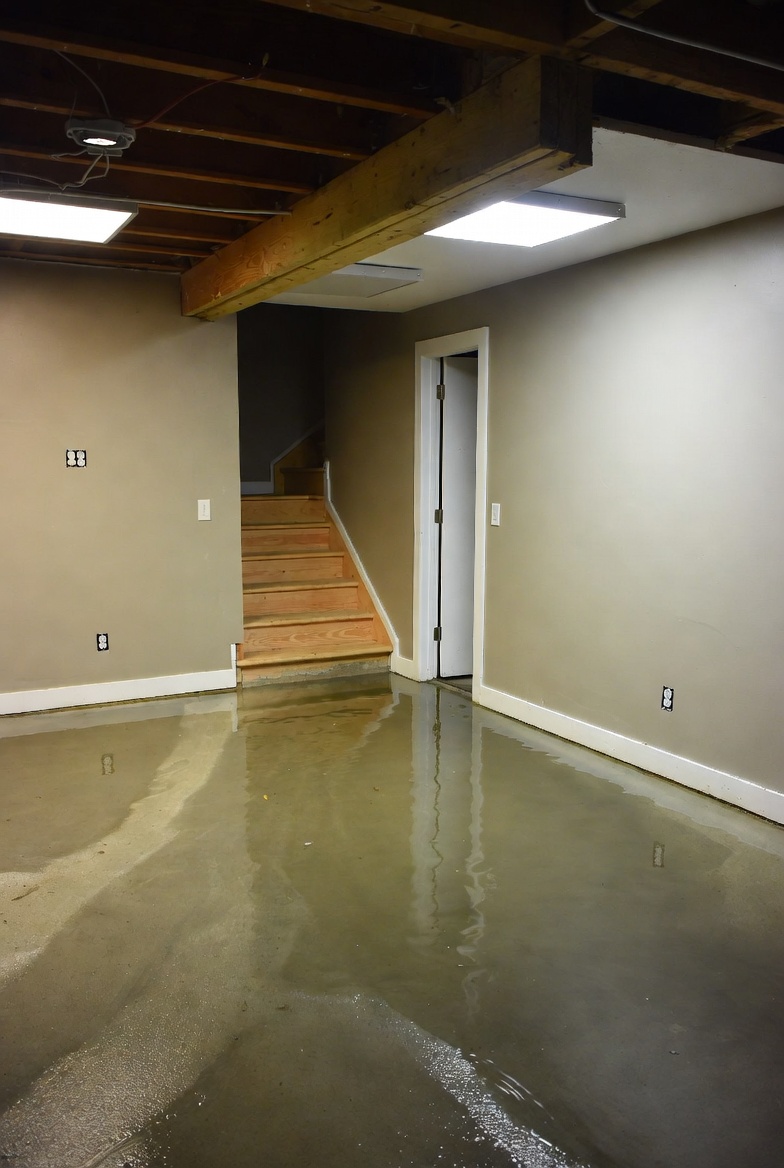
Standing water after a smart shutoff trips is usually caused by sudden pressure changes, trapped air pockets, or a valve that didn’t seat correctly. Start by confirming the shutoff is fully closed, then reopen it slowly while watching drains. Run nearby fixtures to clear air, inspect accessible valve seats for debris, check for required bypass or bleed-off fittings, and review the device logs for pressure events. If water keeps backing up or pipes make odd noises, call a professional.
Why This Happens
Automated shutoffs protect your home by stopping flow when they detect a problem. When they close or reopen quickly, the water system can experience pressure spikes or falls that trap water in low points, push water backward through traps, or create air pockets that block flow. Debris or scale on valve seats can prevent a valve from sealing or reopening cleanly. Equipment settings and upstream plumbing features like bypasses or bleed lines affect how the system recovers after a trip.
Pay attention to the system behavior after a trip—slow recovery is common, but repeating backups or loud pipe noises are signs of something more serious. Also check the smart device logs for pressure anomalies after the event; these entries often point to the underlying issue, especially if you see abrupt spikes labeled in the event history.
Step-by-Step What to Do
Confirm the shutoff position and reopen slowly while observing drains
- Verify the smart shutoff reports a closed state in its app or control panel. If it shows closed, proceed to reopen it from the app or controller.
- Open the valve slowly—do not force a rapid reopen. Watch a sink or floor drain close to the shutoff for immediate changes in standing water level and listen for gurgling or rushing sounds.
- If water clears as you reopen slowly, let the system stabilize and check again in 15–30 minutes for recurring backup.
Check for trapped air pockets by running nearby fixtures
- Run cold and hot water at a nearby sink or tub for 30–60 seconds to flush air and help trapped water move through traps and vents.
- Flush toilets in the affected area once or twice to see if flow improves. Gurgling or sputtering can indicate trapped air or a blocked vent.
Inspect automated valves for debris on the seat
- With power off to the valve per the manufacturer’s guidance, perform a visual inspection of accessible external parts for obvious debris, mineral build-up, or foreign objects.
- If debris is visible and removable without disassembling the valve body, clear it carefully. If removing the obstruction requires opening the valve internals, stop and call a pro.
Verify upstream valves have proper bypass or bleed-off
- Confirm that any upstream isolation valves include the designed bypass or bleed-off fittings so pressure can equalize when the main shutoff closes.
- If your system lacks a bypass or bleed, or the bypass is closed, open it according to your system design to relieve trapped pressure and allow slow, controlled flow.
Review the shutoff event logs for abnormal pressure spikes
- Open the device’s event log and look for entries at the time of the trip—note any pressure spike, rapid open/close cycles, or fault codes.
- Record screenshots or notes of suspicious events and share them with a plumber or the device manufacturer if you need professional help.
What Not to Do
- Do not attempt to modify, bypass, or disable smart shutoff hardware without guidance from the manufacturer or a licensed plumber.
- Do not disassemble or force-open automated valves if you are not trained—internal parts and electrical components can be damaged or cause leaks.
- Do not ignore sustained backups, repeated trips, unusual banging or hissing sounds, or persistent loss of flow—these are signs to get professional help.
When to Call a Professional
- Call a licensed plumber if standing water does not clear after confirming the shutoff and running nearby fixtures.
- Call if smart shutoff events coincide with sustained backups, repeated trips, unusual sounds in pipes, or if you suspect valve failure or electrical faults.
- Call your device support if event logs show repeated pressure spikes or fault codes you don’t recognize; have log details ready for troubleshooting.
Safety Notes
- Turn off power to smart shutoff electronics only according to the manufacturer’s instructions to avoid electrical hazards or data loss in the device.
- Avoid opening valve internals or electrical compartments—these should be handled by trained technicians.
- If water is reaching electrical outlets, panels, or appliances, shut off the main power and call an electrician and plumber immediately.
Common Homeowner Questions
- Why did the water stay in my drain after the shutoff tripped? Rapid pressure changes or trapped air can prevent normal flow; slowly reopening the valve and running nearby fixtures often clears it.
- Can the smart shutoff cause backflow into drains? It can change pressures that allow water to move backward briefly; persistent backflow suggests a mechanical or venting problem that needs a pro.
- What should I send to a plumber when I call? The device event log entries, the time the trip happened, and a short description of noises or backup behavior—this helps diagnose pressure-related issues quickly.
If you want to read more about similar situations, check the articles about smart shutoff trip and pressure change for detailed scenarios and fixes.
More in this topic
For more related fixes and similar symptoms, see Standing Water in Floor Drain.