Quick Answer:
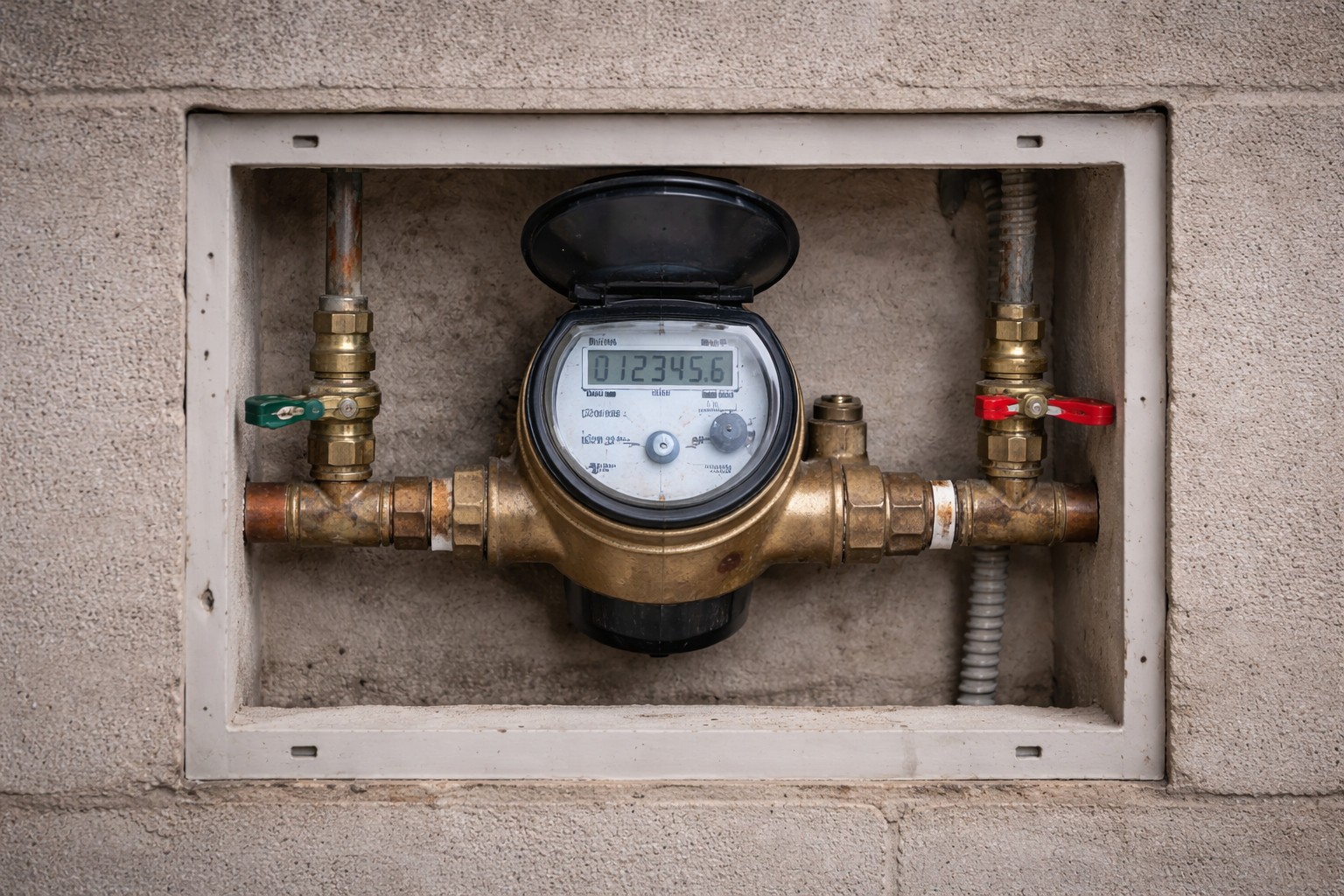
If your leak-detection app reports a continuous flow but you can’t find any water, don’t panic. First confirm whether the meter actually moves with all water off. If the meter is still indicating flow, isolate possible hidden users one at a time (water softener, humidifier, irrigation, fridge) and run the app’s calibration test. If the meter does not move and the app still reports flow, adjust the app’s minimum leak duration or volume before automatic shutoff and review device settings or firmware.
Why This Happens
- Phantom flow readings can come from miscalibrated sensors, incorrect baseline settings, or electrical/noise issues in the flow meter.
- Some appliances draw small amounts of water intermittently (softeners, humidifiers, automatic irrigation controllers, refrigerators with ice makers) and can look like a continuous trickle when aggregated.
- App logic may flag short spikes or meter noise as a continuous leak if minimum duration or volume thresholds are set too low.
- Firmware bugs, Wi‑Fi glitches, or incorrect installation (e.g., sensor on bypass line) can produce false positives.
Step-by-Step What to Do
1. Shut down all visible water uses and watch the meter
- Turn off every faucet, shower, appliance water supply, and any auto-fill devices.
- Watch the main meter or the flow-reading in your app for 5–10 minutes. Movement means real flow; no movement suggests a false alert or app error.
2. Isolate appliances one-by-one
- Temporarily disable or shut the supply to suspected devices in this order: water softener, whole‑home humidifier, irrigation system, refrigerator (ice maker) and any automatic fill valves.
- After isolating each device, watch the meter for a few minutes to see if the reported flow stops.
- Document which isolation stops the reading so you can narrow the source.
3. Run the app’s calibration or diagnostic test
- Most systems include a calibration or self-check option. Follow the app instructions to run that test.
- Calibration can reset the baseline flow signature and reduce false positives from noise or installation variance.
4. Tune minimum leak duration and volume
- Set a sensible minimum leak duration (for example, 5–10 minutes) or a minimum volume threshold so brief spikes or meter noise won’t trigger an alarm or automatic shutoff.
- Check device documentation for recommended thresholds and adjust conservatively until you’ve confirmed behavior.
5. Check device health and installation
- Confirm the flow meter is installed in the main supply line and not on a bypass or secondary branch.
- Inspect power, wiring, and Wi‑Fi signal. Update firmware if an update is available.
- If the meter is battery powered, replace the battery to rule out low‑power anomalies.
What Not to Do
- Don’t ignore a ‘leak’ alert just because you don’t see water—verify with meter movement.
- Don’t shut off the main water as a first step unless you confirm a real leak or are instructed to do so; sudden shutoff can harm some appliances.
- Don’t attempt major repairs (cutting pipes, removing meter) without isolating the issue or consulting a professional.
When to Call a Professional
- Call a plumber if you confirm meter movement indicating real flow and cannot find the source after isolating obvious devices.
- Contact the device manufacturer or installer if the meter shows no real flow but the app continues to report one after calibration and firmware checks.
- If a smart valve repeatedly shuts off water unexpectedly and you see pressure issues, get help—this may involve Smart shutoff causing pressure problems that need professional diagnosis.
Safety Notes
- Always turn off an appliance’s water supply at its shutoff valve before disconnecting it to check for leaks.
- Avoid using electricity near wet areas; shut power to nearby outlets if you need to work on a flooded area.
- If water is shut off and later restored, confirm that the main valve and any automatic valves are operating properly to avoid trapped pressure or closed valves—see guidance on Water restored but valve remains closed.
Common Homeowner Questions
- Why does the app show flow when nothing is running? – Small intermittent uses, sensor noise, or miscalibration can look like continuous flow.
- How long should I watch the meter? – Watch for 5–10 minutes with all water off to detect slow flows that show up over time.
- Will adjusting the app thresholds hide real leaks? – If set too high, yes. Use conservative adjustments and recheck after changes.
For more related articles, see the Smart Water Shutoff System Failures hub.